
Cron job monitoring
Scheduled jobs check in when they start and finish. Miss a run, run too long or fail, and Parsemend opens an issue and alerts you.
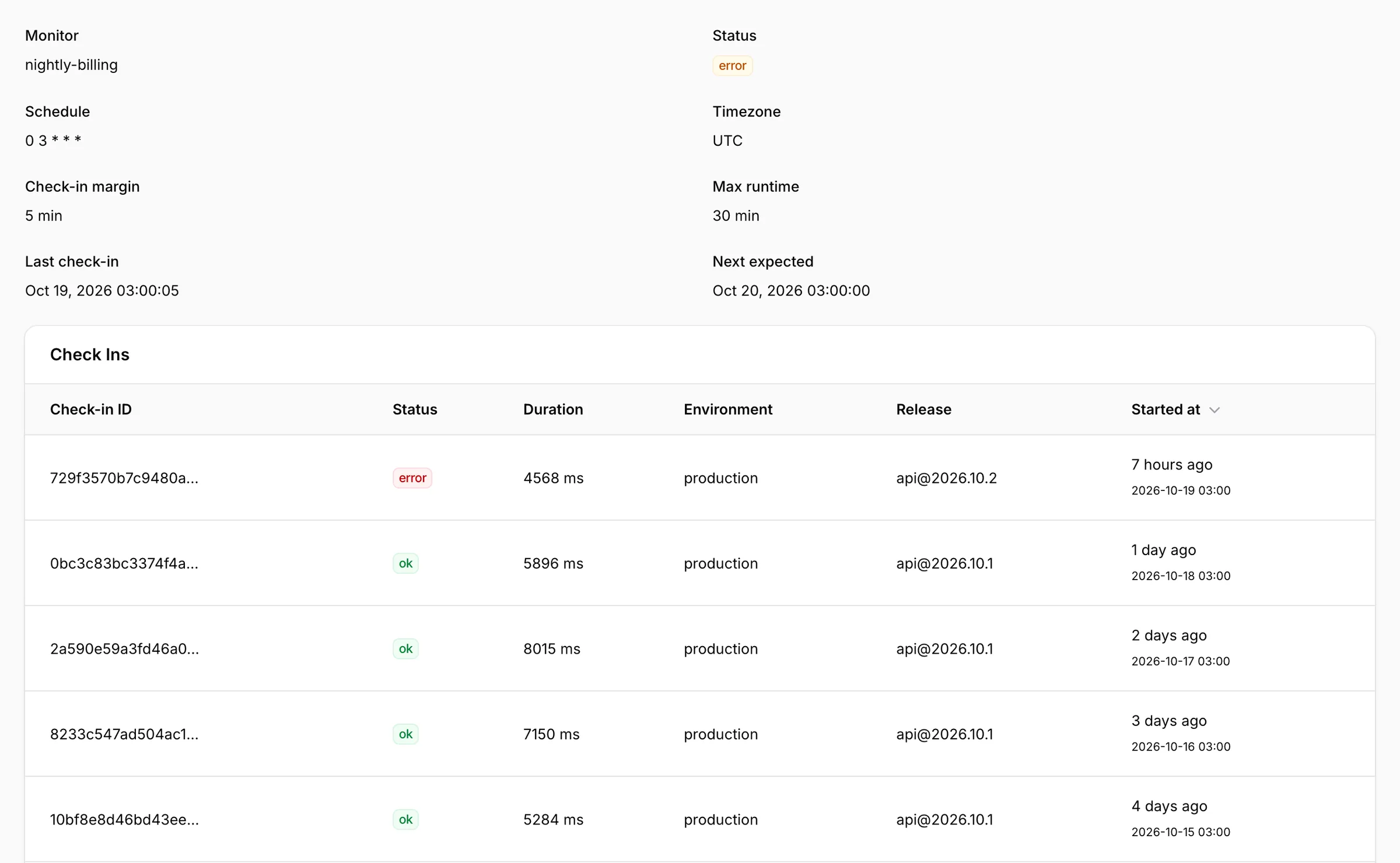
- Schedules
- crontab or interval
- Set up
- the first check-in creates the monitor
- Missed run
- after a 5-minute margin by default
- Too long
- after 30 minutes by default
await Sentry.withMonitor('nightly-billing', runBilling, {
  schedule: { type: 'crontab', value: '0 3 * * *' },
});DeveloperYour coding agent can pick up any of these issues and fix it. How it works
Questions
Do I create monitors by hand?
No. The first check-in from your job creates the monitor, with the schedule it reports.
Can I check in without an SDK?
Yes. A check-in is a small HTTP request, so curl in a shell script works.
Which languages are supported?
PHP, Laravel and Node are verified end to end; other SDKs use the same protocol.
Monitors cannot be created from the dashboard; they appear on the first check-in.